Images to WBMP Converter
Convert images to WBMP format online for free. Fast and secure image to WBMP converter for black-and-white bitmap images.
Image to WBMP Converter: Convert Images to WBMP Online for Free
Do you need very small, simple black-and-white images for old mobile phones, basic WAP sites, or tiny icons that work on very limited devices? The free online tool at https://www.image-extractor.com/image-to-wbmp-converter helps you turn any regular photo, logo, drawing, screenshot, or graphic into WBMP format very quickly. You don’t need to install any app, pay money, or sign up for anything. Just visit the page in your browser, upload your image, click the convert button, and download the ready WBMP file. The website keeps the design clean and simple – there is a clear upload area, one main button, and links to other converters like PNG to JPG, image to AVIF, image to AI, image to BMP, image to DDS, image to DIB, image to EPS, image to HEIC, and many more. This makes it easy to try different formats in the same place.
In this article, we explain everything about this tool using very simple English so that even children or beginners can understand. We talk about what WBMP is, why people still use it a little, when you should pick WBMP, how to use the converter step by step, the main benefits, useful tips, things to avoid, real examples from daily life, answers to common questions people ask, and why this tool is a good option. Most parts are written in normal paragraphs, and only the really important lists (like benefits or steps when it makes sense) are shown in points.
What Is WBMP Format?
WBMP stands for Wireless Bitmap. It is a very old and basic image format made specially for early mobile phones and WAP (Wireless Application Protocol) browsers in the late 1990s and early 2000s. A WBMP file can only be black and white (1-bit color) – no gray shades, no colors at all. It is extremely simple and has no compression, so files stay very small. WBMP files end with .wbmp. Because they are tiny and use almost no data, they were perfect for the slow internet and low-power phones of that time. Today, almost nobody uses WBMP for normal pictures, but some legacy systems, old mobile emulators, certain embedded devices, or educational projects still need WBMP files.
Why People Still Use WBMP
WBMP is very rarely used now because modern phones and the internet are much faster and support full-color formats like PNG, JPG, and WebP. However, some people still need WBMP when they work with very old mobile emulators, retro game projects, WAP site testing, certain industrial or embedded systems, or school/college projects about old mobile technology. It is kept alive only for compatibility with ancient devices or software that cannot handle anything better. Most people search for “convert image to WBMP” or “make WBMP online free” when they are doing retro mobile projects, testing old WAP pages, or studying mobile history.
When You Should Convert Images to WBMP
You should use this tool only when you really need a black-and-white, tiny image for old mobile systems or educational purposes. It is ideal for retro mobile emulators, old WAP browser testing, school projects about early mobile phones, creating simple icons for legacy devices, or experimenting with 1-bit graphics. For normal phones, websites, apps, or any modern use, formats like PNG, JPG, AVIF, WebP, or ICO are much better choices.
Step-by-Step Guide to Using the Converter
The whole process is very quick and simple. Here are the exact steps:
Step 1: Go to the Website
Open your browser and visit https://www.image-extractor.com/image-to-wbmp-converter. The page loads with a spot to add your file.
Step 2: Upload Your Picture
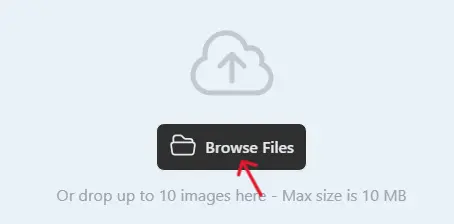
Click the choose file button or drag your image (like a JPG or PNG) from your device.
Step 3: Click Convert
Hit the "Convert" button. The tool reads your image and turns it into WBMP format.

Step 4: Download the WBMP File
When finished, a download link shows up. Click to save the .wbmp file.

Done! No hard choices or settings. If your file is large, it might take a bit longer, but it's still fast. If there's a problem, try a smaller file or a different starting format.
Main Benefits of Converting to WBMP
Here are the most important advantages in points:
- Files become extremely small – perfect for very slow or old connections.
- Only black and white – uses almost no data at all.
- Works on ancient mobile emulators and legacy WAP systems.
- Simple format – no compression issues or quality choices.
- Good for 1-bit retro graphics or educational demos.
- Opens in special viewers or old software that supports WBMP.
- Useful when you must match old mobile requirements.
Practical Tips for Good Results
Start with simple black-and-white images or high-contrast pictures – logos, icons, text, line art, or QR codes give the best WBMP results. Use PNG or JPG input and let the tool do the dithering (turn colors to black/white dots). After downloading, open the WBMP in a viewer that supports it (like IrfanView or online WBMP viewers) to see how it looks. For retro projects, keep files very small (under 100×100 pixels is common). Keep originals safe so you can convert again if the black-and-white result needs adjustment.
Things to Avoid
Do not use WBMP for normal photos or colorful images – it will look very bad because it only has black and white. Do not expect good results from detailed pictures – WBMP is only for very simple graphics. Do not use WBMP for modern phones, websites, or apps – they do not support it well. Do not keep converting the same file many times – always go back to the original. If you see an error, check your internet or try a smaller and simpler input file first.
Real-Life Examples
A computer science student converts a simple logo to WBMP for a college project about old mobile phones – shows how WAP worked. A retro phone collector tests an old Nokia emulator and needs WBMP icons for the menu. A hobbyist recreates a 2000s WAP site and uses WBMP for tiny images. A teacher demonstrates early mobile internet to the class using WBMP files in an emulator. A game modder makes 1-bit textures in WBMP for a very old mobile game remake.
Why Choose This Image to WBMP Converter
This tool is completely free, has a simple page without too many ads or pop-ups, asks for no email or sign-up, and is part of a big collection of image converters. For fast one-time use, retro projects, educational demos, or testing old mobile systems, it is perfect and very beginner-friendly.
Final Thoughts
The image to WBMP converter at https://www.image-extractor.com/image-to-wbmp-converter is a simple, fast, and free way to make tiny black-and-white images for old mobile phones, WAP emulators, or retro/educational projects. Whether you are studying mobile history, testing legacy systems, or just experimenting with 1-bit graphics, this tool makes it super easy. Visit the link, upload any simple picture or logo, and try making your own WBMP right now. You will get very small files that work on ancient devices and probably use it again for fun retro experiments!